
Most small projects start with one server.
A website, database, bot, API, VPN, monitoring stack, or game service is installed on a single VPS because it is simple. There is one public IP address, one firewall, one operating system, one backup plan, and one place to check when something breaks.
That works until the project grows.
Eventually you may want a separate database server, a worker VM, a staging environment, a private dashboard, a backup target, a monitoring node, or a second application server. At that point, the question becomes: should every part of the stack talk over the public internet?
The better answer is usually no.
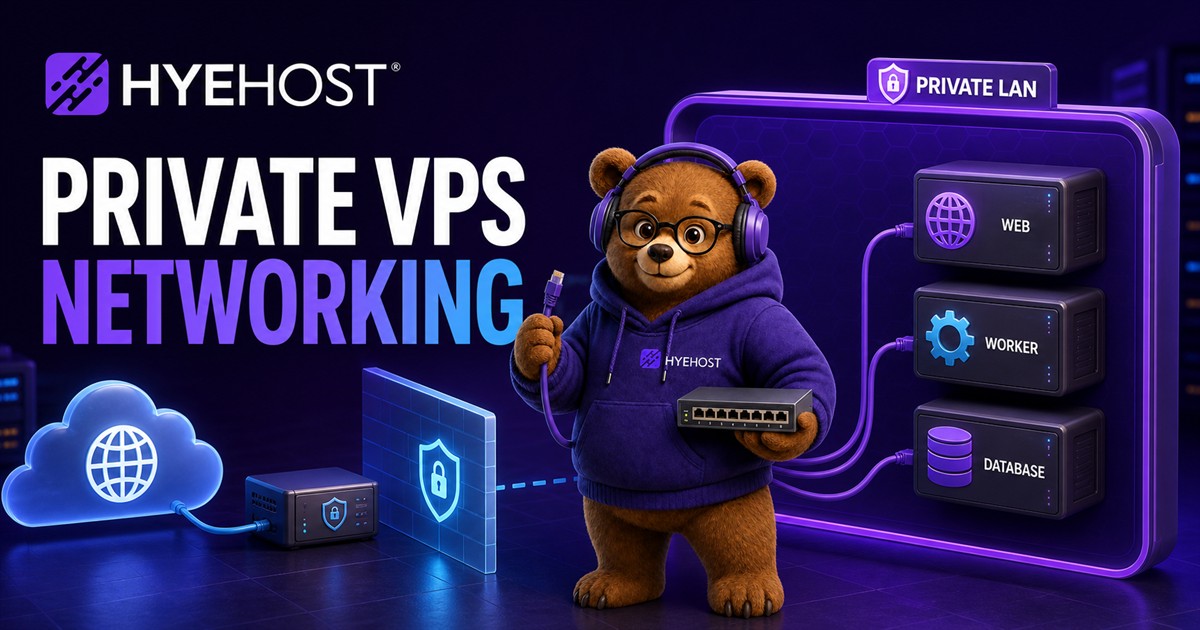
Private networking gives your servers a dedicated internal network so they can talk to each other without exposing every service publicly. It is one of the simplest ways to make a VPS setup cleaner, safer and easier to scale.
This guide explains what private VPS networking is, when to use it, what to avoid, and how HYEHOST private LANs and VPS Resource Pools fit into a more professional hosting setup.
What Is Private VPS Networking?
Private VPS networking is a network path between your servers that does not need to use their public internet-facing addresses.
Instead of connecting from one VPS to another using a public IPv4 or IPv6 address, you attach both servers to a private LAN and assign internal addresses such as:
10.10.0.1010.10.0.11172.20.5.10fd00:1234::10
Your public website can still listen on the public internet, but your database, cache, queue, internal API, metrics exporter, or admin panel can be restricted to the private network.
This is useful because the internet does not need to reach every service you run.
Why Private Networking Matters
Opening fewer services to the public internet reduces risk.
For example, a common beginner setup is:
- Website on port 80/443.
- SSH on port 22.
- MySQL on port 3306.
- Redis on port 6379.
- Admin panel on a random port.
- Metrics exporter on another port.
Even if everything has passwords, this is not ideal. Public services get scanned constantly. If a database is accidentally exposed, a weak password, old version, or bad firewall rule can become a serious incident.
A better design is:
- Public internet: only the services that must be public.
- Private LAN: databases, queues, caches, internal APIs, monitoring and backups.
- Firewall: default deny, allow only what each server actually needs.
Private networking does not replace good security, but it makes a safer design easier.
Common Uses for Private VPS Networks
Private LANs are useful for many normal hosting setups.
1. Web Server and Database Split
A simple production layout might use:
- VPS 1: Nginx, Caddy, Apache or LiteSpeed serving the website.
- VPS 2: MariaDB, MySQL or PostgreSQL.
The web server connects to the database over the private LAN. The database does not need a public listener at all.
This gives you cleaner separation. If your website needs more CPU later, you can scale the web VM without moving the database. If the database needs more RAM or storage, you can upgrade that VM independently.
2. App Server and Worker VM
Modern applications often have background jobs:
- Email sending.
- Image processing.
- AI tasks.
- Webhook processing.
- Queue workers.
- Scheduled jobs.
Instead of running everything on one server, you can run workers on a second VPS and connect them to Redis, RabbitMQ, PostgreSQL, or an internal API over the private network.
3. Monitoring and Logging
Monitoring tools often need to collect metrics from multiple servers. Private networking lets you keep exporters and dashboards away from the public internet.
Examples include:
- Prometheus scraping private metrics endpoints.
- Grafana available only through VPN or private access.
- Loki or another log collector receiving logs internally.
- Uptime checks from a private monitoring VM.
4. Backup Targets
Backups should not rely only on the same server that runs the application.
A private backup VM can receive:
- Database dumps.
- Application uploads.
- Configuration archives.
- Encrypted restic or borg repositories.
- Snapshot exports.
Keeping backup traffic internal reduces public exposure and can make the layout easier to reason about.
5. Private Admin Tools
Many admin tools should not be public by default:
- phpMyAdmin.
- Adminer.
- Portainer.
- Uptime Kuma.
- Internal dashboards.
- Development panels.
- CI runner interfaces.
These can sit on a private address, behind a VPN, or behind a reverse proxy that requires authentication.
Private Networking and VPS Resource Pools
VPS Resource Pools make private networking more useful.
Instead of ordering one fixed VM at a time, a resource pool gives you a block of CPU, RAM, disk, transfer and IP resources that you can split into multiple VMs. That is helpful when you want a small internal stack rather than one large server.
For example, a pool can be split into:
- A public web VM.
- A private database VM.
- A worker VM.
- A monitoring VM.
Not every VM needs a public IP. Some servers can live only on the private LAN if they are used internally.
This is especially useful for developers, agencies and small teams that want to separate services without managing a full private cloud.
HYEHOST Services That Fit This Setup
Private networking is most useful when it is tied into the rest of the hosting stack instead of treated as an isolated feature. On HYEHOST, the common paths look like this:
- Cloud VPS for a single public web server, API server, VPN endpoint or application VM.
- VPS Resource Pools for splitting CPU, RAM, disk, transfer and VM slots across multiple private and public servers.
- Self-Hosting VPS for running private tools such as Vaultwarden, monitoring, Git services, dashboards or automation services.
- Managed VPS when the architecture needs a more hands-on support relationship.
- VDS Hosting when a service needs more dedicated resources than a normal VPS plan.
- HYEHOST Panel for service controls, reinstall flows, usage visibility, billing, support and network-aware management.
This is the internal-link path we want search engines and customers to understand: private VPS networking is not just a checkbox. It connects directly to VPS hosting, resource pools, self-hosting, managed services and the HYEHOST panel.
Example Private Network Layout
Imagine a small SaaS or customer portal.
Public side:
web-01- Public IPv4/IPv6.
- Runs Caddy or Nginx.
- Accepts traffic on 80 and 443.
Private side:
db-01- Private IP:
10.50.0.10 - Runs PostgreSQL.
- Allows PostgreSQL only from
web-01.
worker-01- Private IP:
10.50.0.20 - Processes jobs.
- Talks to PostgreSQL and Redis privately.
monitor-01- Private IP:
10.50.0.30 - Scrapes metrics.
- Not public.
The public firewall can be strict. The database does not need a public port. Workers can scale separately. Monitoring can see the internal stack without exposing every exporter.
This is a cleaner design than running everything on one public server forever.
Private Networking Is Not a Replacement for Firewalls
A private LAN is not magic security.
You should still:
- Use host firewalls.
- Bind services to the correct interface.
- Require passwords or keys.
- Keep software updated.
- Avoid trusting every private machine by default.
- Segment services where possible.
- Monitor logs.
The safest habit is to treat private networking as a reduced-exposure path, not as a permission system by itself.
For example, PostgreSQL should still have strong authentication. Redis should not be exposed broadly. Admin dashboards should still require login. SSH should still use keys where possible.
IPv4, IPv6 and Private Networks
Most private networks use RFC1918 IPv4 ranges like:
10.0.0.0/8172.16.0.0/12192.168.0.0/16
For IPv6, private-style addressing commonly uses ULA space such as fd00::/8.
Public IPv6 is also useful because it gives each VM globally routable addressing, but that does not mean every IPv6 service should be open to the world. You still need firewall rules and service binding.
On HYEHOST, VPS services can use public addressing for internet-facing workloads and private LANs for internal connectivity.
What Should Go on the Private Network?
Good candidates:
- Databases.
- Caches.
- Queues.
- Internal APIs.
- Backup traffic.
- Monitoring endpoints.
- Admin panels.
- Service discovery.
- Cluster communication.
Usually public:
- Websites.
- APIs intended for customers.
- Public game servers.
- Public VPN endpoints.
- Public mail services.
- Any service customers or users must reach directly.
The goal is not to hide everything. The goal is to expose only what needs to be public.
Private Networking for Self-Hosting
Private networking is valuable even for personal projects.
If you self-host tools like Vaultwarden, Nextcloud, Git servers, media apps, home dashboards, or monitoring tools, you may start with one VPS. As you add more services, a private LAN lets you split responsibilities.
For example:
- One VPS runs public reverse proxy and TLS.
- One VPS runs storage-heavy services.
- One VPS runs monitoring.
- One VPS runs private automation or bots.
This can make maintenance easier because you are not rebuilding one huge server every time you change part of the stack.
Private Networking for Agencies
Agencies often host multiple client websites, staging environments and internal tools.
Private networking can help with:
- Shared monitoring.
- Internal deployment systems.
- Private staging databases.
- Backup aggregation.
- Separating client workloads.
- Running reseller or management tools away from public access.
Combined with reseller hosting, VPS pools, or dedicated servers, private LANs can help agencies build cleaner hosting operations without jumping immediately into complex enterprise networking.
Performance Considerations
Private networking can be fast, but performance depends on the platform, host, virtual switch, interface type and workload.
Things to consider:
- Large file transfers can still consume disk and CPU.
- Database latency matters for chatty applications.
- Jumbo frames only help when the whole path supports them.
- Encryption at the application layer may still be worth using for sensitive data.
- Monitoring should separate public transfer from internal transfer where possible.
For most small and medium VPS setups, the biggest benefit is architecture and security rather than raw speed.
Mistakes to Avoid
Avoid these common mistakes:
- Exposing the database publicly "just for testing" and forgetting about it.
- Binding services to
0.0.0.0when they only need the private interface. - Allowing the full private subnet into every service.
- Assuming private traffic is automatically trusted.
- Forgetting backups when splitting services.
- Not documenting which VM owns which role.
- Running a private LAN without firewall rules.
Good documentation does not need to be complicated. A small note that says "web-01 talks to db-01 on 10.50.0.10:5432" can save time later.
How HYEHOST Fits In
HYEHOST is building private networking into the panel so users can manage more of the stack without needing manual support work for every internal network.
Useful HYEHOST features around this include:
- Cloud VPS and VDS services.
- VPS Resource Pools for splitting resources into multiple VMs.
- Private LANs between VMs.
- Public IPv4 and IPv6 addressing.
- Firewall and IP management.
- Bandwidth tracking for public interfaces.
- Console access and reinstall flows.
- Upgrade paths for CPU, RAM, disk and transfer.
- Optional HDD storage add-ons for backup-style workloads.
This means a user can start with a simple VPS, then grow into a multi-VM layout without immediately moving to a dedicated cluster.
A Practical Starting Plan
If you are starting from one VPS today, do this:
- List which services are public and which are internal.
- Move databases and caches away from public listeners.
- Add firewall rules.
- Use private networking for server-to-server traffic.
- Keep SSH locked down.
- Add backups before splitting too many services.
- Monitor resource usage.
- Document the internal IPs and roles.
You do not need a complex network diagram on day one. You need a clear separation between public and private services.
Final Thoughts
Private networking is one of the most practical upgrades you can make to a growing VPS setup.
It helps reduce public exposure, keeps internal services cleaner, makes multi-server layouts easier, and gives you a better path from a single VPS to a more serious production environment.
For small projects, it can protect a database or admin dashboard. For larger users, it becomes the foundation for resource pools, internal APIs, monitoring, backups and multi-VM application layouts.
HYEHOST private LANs and VPS Resource Pools are designed for exactly this kind of growth: start small, keep control, and move toward a cleaner architecture as your project needs it.
Private VPS Networking FAQ
What is private VPS networking?
Private VPS networking is an internal network path between virtual servers. It lets services such as databases, caches, workers, monitoring and backups communicate over private LAN addresses instead of exposing everything on public IPs.
Can I use private networking with VPS Resource Pools?
Yes. VPS Resource Pools are a strong fit for private networking because you can split one pool into multiple VMs, then place web, database, worker and monitoring servers on the same private LAN where supported.
Should my database be on a private VPS network?
In most multi-server VPS setups, yes. A database normally should not listen publicly unless there is a specific reason. Keeping PostgreSQL, MySQL, Redis and similar services on a private LAN reduces public exposure.
Does private networking replace firewalls?
No. Private networking reduces exposure, but you should still use host firewalls, bind services to the correct interface, keep software updated and require proper authentication between services.