
United Kingdom
Wolverhampton
Deploy UK KVM VPS for local clients, services and latency-sensitive European workloads.
VM 01 VM 02

Buy one flexible resource pool and deploy isolated KVM virtual machines in Wolverhampton, UK or Ashburn, US. Choose the location for every VM and combine both regions under one pool.

Your pool is no longer tied to one location. Select the region while creating each VM, then allocate the CPU, RAM, SSD, IP and network profile that instance needs.
Deploy UK KVM VPS for local clients, services and latency-sensitive European workloads.

Place US KVM VPS close to East Coast users, customers and application traffic.
Every pool can provision virtual machines in Wolverhampton and Ashburn. Choose a preset for straightforward value, or shape a custom allocation of CPU, RAM, SSD storage, transfer, IP addresses and VM capacity.
Best entry point for smaller reseller footprints, side projects and lightweight multi-VM setups.
Balanced pool for agencies, growing resellers and teams that need more room per tenant or service.
Higher density capacity for heavier client mixes, broader labs and more demanding multi-VM environments.
Quarterly, semi-annual and annual totals use the same monthly rate. There is no longer-term billing discount or surcharge.
| Pool | Monthly | Quarterly | Semi-annual | Annual |
|---|---|---|---|---|
| Starter | $7.99 | $23.97 | $47.94 | $95.88 |
| Growth | $14.99 | $44.97 | $89.94 | $179.88 |
| Pro | $29.99 | $89.97 | $179.94 | $359.88 |
Estimate a custom pool within the supported limits. A preset-equivalent request uses its matching plan as the basis; other configurations are compared proportionally against all three presets before the 10% custom-build premium is applied.
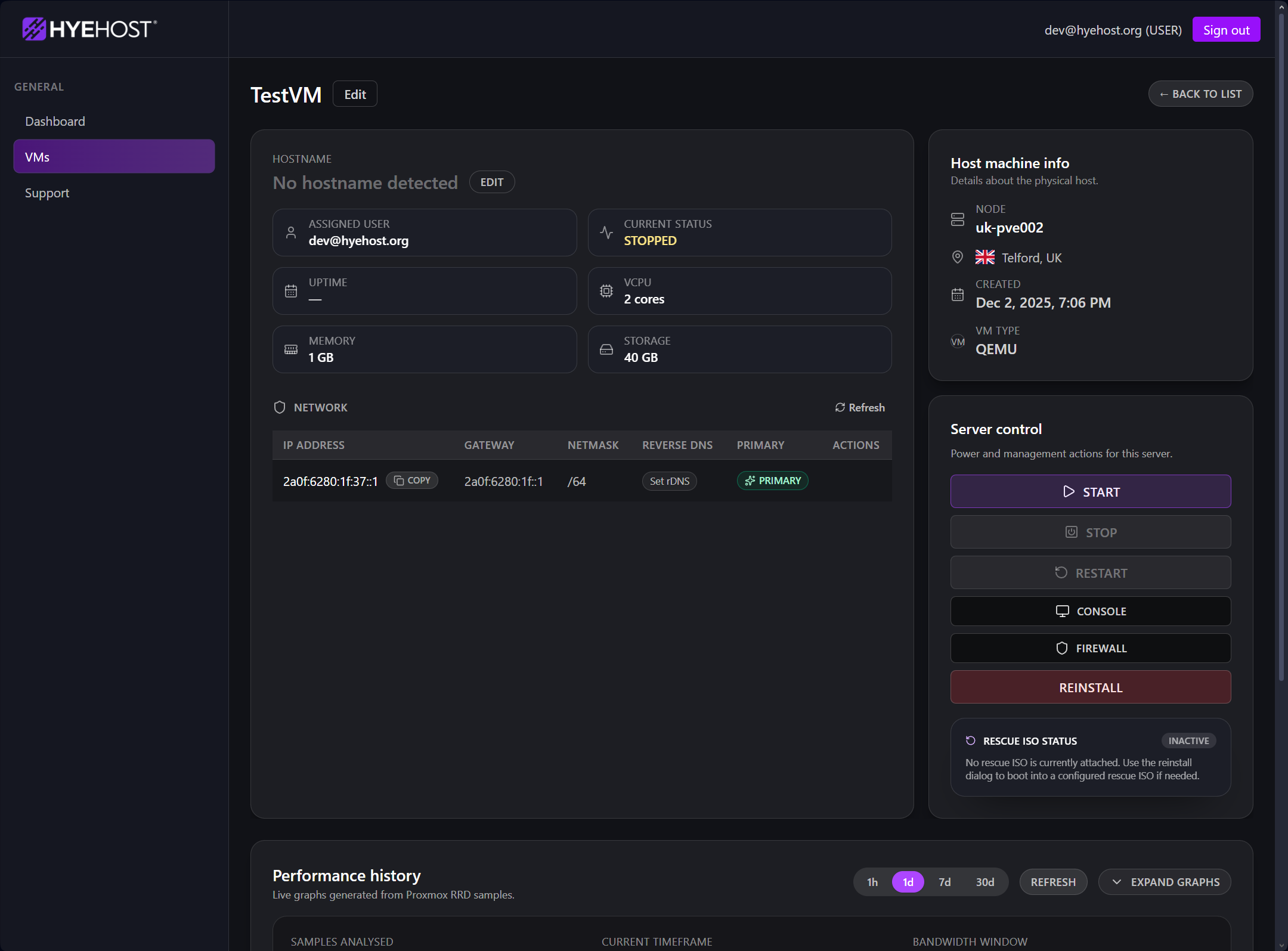
VPS Resource Pools are built for buyers who need to carve resources into separate machines without juggling individual orders or separate UK and US products. You get cleaner tenant separation, easier staging and testing, and a practical way to serve users from both sides of the Atlantic.
Pool VMs can also be provisioned onto a 2Gbps unmetered private LAN, so not every VM needs public IP space. A common pattern is one public-facing router VM with BGP and your own IP space, then private backend VMs behind it.
Every instance is still a proper KVM virtual machine with the HYEHOST controls used across our normal VPS range. The pool simply makes capacity and regional deployment more flexible.
Choose Wolverhampton or Ashburn separately for every new VM without buying a second regional pool.
Build proper isolated VPS instances from your pool instead of cramming multiple services into one server.
Create, manage and monitor instances from the HYEHOST control panel with a familiar lifecycle and ordering flow.
Pool VMs support selectable public port speeds from 100Mbps up to 2Gbps to match lighter or heavier use cases.
Attach as many pool VMs as you like to an unmetered private LAN for backend traffic, replication, private services and router-led designs.
Use the same VPS platform foundation for customer workloads, internal services, staging systems and operational tooling.
Preset bundles include both IPv4 and IPv6 resources, while private-only VMs can avoid consuming public IP space.
Start with a right-sized pool, then add more resources later as your tenant count, service count or client base expands.
Use one larger resource allocation when you need several cleanly separated environments, especially when users, clients or services span the UK and United States.
Place public services in Wolverhampton and Ashburn from one pool to build regional front ends, monitors or supporting workloads.
Split one purchased pool into several smaller KVM instances for customers, projects or white-label offerings.
Keep client environments separated and place each one nearer its audience without managing separate regional products.
Spin up isolated test boxes, temporary environments or training machines from one shared resource pool.
Separate monitoring, staging, utility apps and team services across several VMs while keeping billing simple.
Break out web, worker, database-adjacent and support services into distinct virtual machines, with backend nodes linked privately over 2Gbps LAN.
Use one VM as a router with BGP and your own IP space, then place other pool VMs behind it on the private LAN.
Get into multi-instance VPS selling without jumping straight into dedicated hardware or private cloud overhead too early.
Explore practical guidance for shaping a pool, using private networking, managing instances and adding BGP when your deployment needs it.
Understand pooled resources, custom sizing and when multiple isolated VMs are the better fit.
Read the pool guideDesign backend communication, private services and multi-VM application layouts more safely.
Plan private networkingLearn the service controls used to provision and operate HYEHOST virtual machines.
Explore the panelCreate the VM, prepare routing details and request a BGP session from the same platform.
Explore BGP automationSplit out a router VM in the region you need, attach its resources and request its BGP session without leaving the HYEHOST panel. Keep routing separate from application and backend VMs while managing both regions from one pool.
Answers about mixed UK and US deployment, pooled capacity, networking, KVM and scaling.
Yes. Choose Wolverhampton or Ashburn for each new VM. You can run two VMs in Wolverhampton and one in Ashburn, reverse that mix, or use any other combination that fits the capacity and VM slots in your pool.
It is one allocation of CPU, RAM, SSD storage, transfer, IP addresses and VM slots that you divide into multiple isolated KVM virtual machines. Each VM can have its own size, region and public port speed.
No. Pools also work well for agencies, distributed applications, labs, staging environments, training setups, internal services and any project that benefits from multiple independent virtual machines.
Yes. Pool instances use KVM virtualisation and the familiar HYEHOST panel lifecycle. The main difference is that resources come from a shared pool and you choose Wolverhampton or Ashburn while provisioning each VM.
Yes. The three preset bundles make ordering quick, while the custom builder lets you choose the CPU, RAM, SSD storage, IPv4, VM slots and transfer allocation your deployment needs.
Yes. Select a public port speed from 100Mbps up to 2Gbps separately for each VM, so lighter services do not need the same profile as busy public-facing workloads.
Yes. Pool VMs can use the 2Gbps unmetered private LAN, and you can create a routing VM and request BGP through the HYEHOST panel for designs using your own IP space.
Yes. Expand the pool as your customer count, regional footprint or service stack grows, rather than rebuilding the deployment around a completely different product.
An exact preset-equivalent request uses that matching plan as its basis. Other requests are compared proportionally against Starter, Growth and Pro and use the most economical result. A 10% custom-build premium is then applied. Individual per-resource rates are no longer used, and the selected IPv6 allowance is automatically twice the IPv4 quantity.
Choose a preset or shape a custom pool, then select Wolverhampton or Ashburn independently whenever you provision a new KVM VPS.