
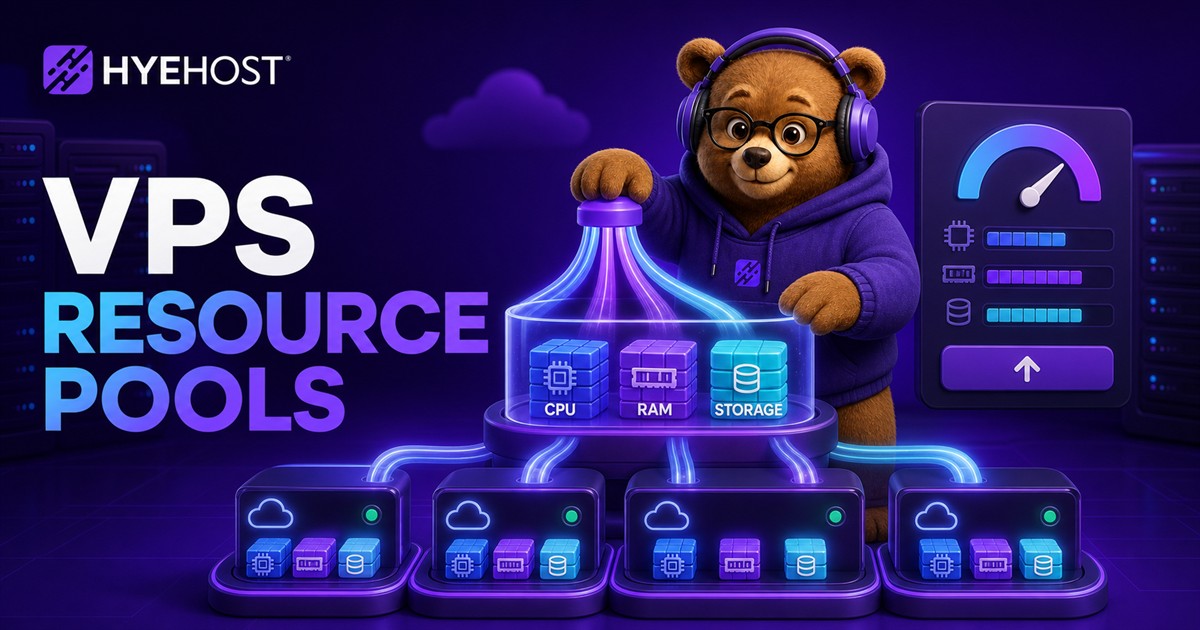
Recent HYEHOST VPS updates are about giving customers more than one way to scale. Some projects need several smaller virtual machines instead of one large server. Other projects are happy with one VPS, but need a little more RAM, extra SSD storage, more transfer or a separate HDD disk for backups and bulk data.
That is why VPS Resource Pools and custom per-resource upgrades now sit beside the standard VPS plan lineup. One gives you a pool to split into multiple KVM instances. The other lets you start from a normal plan and add the exact resources the workload is missing.
Two different scaling problems
The first scaling problem is density. A reseller, agency, lab or multi-service project may need five or ten small isolated servers. Buying and managing each VPS as a totally separate order works, but it gets messy. VPS Resource Pools solve that by giving you one pool of CPU, RAM, SSD, transfer, IP space and VM slots that you can divide into multiple VPS instances from the panel.
The second scaling problem is shape. A single VPS may be almost perfect, except it needs more RAM for PostgreSQL, more SSD for app data, more transfer for traffic spikes or more HDD storage for backups. Custom upgrades solve that without forcing you to jump to a much larger preset plan.
What VPS Resource Pools are for
A VPS Resource Pool is a pooled KVM VPS product. You buy a bundle of resources, then carve those resources into separate virtual machines. Each VM still behaves like a normal HYEHOST VPS, but the capacity comes from the pool instead of a standalone plan.
One VPS pool across Wolverhampton and Ashburn
Pool capacity is no longer restricted to one location. When creating each virtual machine, choose Wolverhampton in the United Kingdom or Ashburn in the United States. The same pool can contain any combination: two VMs in Wolverhampton and one in Ashburn, one UK VM and two US VMs, or every instance in a single region.
This makes multi-location VPS hosting easier for resellers serving customers in different markets, agencies placing client services closer to their audience, and application teams separating regional front ends, monitoring or supporting services. You keep one pool of resources while deciding placement per VM.
- Resellers: split one purchased pool into smaller customer VPS instances.
- Agencies: isolate client projects without ordering a separate plan every time.
- Labs and training: create temporary test boxes from one pool.
- Multi-service apps: separate web, database, worker and staging nodes.
- Network designs: use one VM as a router or BGP edge, then place private backend VMs behind it.
Preset pools and custom pools
The preset pool plans are the simplest starting point. Starter includes 4 CPU cores, 4GB RAM, 100GB SSD, 25TB transfer, 2 IPv4, 4 IPv6 and 3 VM slots for $7.99 per month. Growth includes 6 cores, 8GB RAM, 200GB SSD, 75TB transfer, 4 IPv4, 8 IPv6 and 6 VM slots for $14.99 per month. Pro includes 8 cores, 16GB RAM, 400GB SSD, 150TB transfer, 8 IPv4, 16 IPv6 and 12 VM slots for $29.99 per month.
Monthly, quarterly, semi-annual and annual billing use the same effective monthly rate without an additional term discount. For example, Starter is $23.97 quarterly, $47.94 semi-annually or $95.88 annually.
If the preset shapes do not fit, the custom pool builder supports 2–64 CPU cores, 2–256GB RAM, 50–4,000GB SSD storage, 10–1,000TB transfer, 2–128 IPv4 addresses and 1–128 VM slots. The IPv6 allowance is twice the selected IPv4 quantity.
Custom pricing no longer uses a list of individual resource rates. An exact preset-equivalent request uses its matching plan as the pricing basis. Other configurations are compared proportionally against Starter, Growth and Pro, use the most economical result, then add a 10% custom-build premium. A Starter-equivalent custom pool is approximately $8.79 per month, Growth equivalent is $16.49, and Pro equivalent is $32.99.
Per-VM network speeds and private LAN
Resource Pools are not only about CPU and RAM. Each VPS created from a pool can have its own selectable port speed from 100Mbps up to 2Gbps. That matters when not every VM needs the same public network profile. A small monitoring node can be modest, while a public-facing proxy or API node can receive more network headroom.
Pool VMs can also use the 2Gbps unmetered private LAN. This is useful for backend nodes, database replicas, private services, storage movement, or designs where only one VM has public exposure and the rest stay private.
Custom upgrades for standard VPS plans
For standard VPS plans, the upgrade path is more direct. Pick a base plan, then add what the workload needs. On Cloud VPS and Budget VPS, the current estimator supports extra CPU, RAM, main SSD storage, transfer, IPv4 addresses and HDD storage. VDS has its own dedicated-resource upgrade model for customers who need stronger isolation and steadier compute.
- Extra CPU is useful when workers, agents, builds or app processes are CPU-bound.
- Extra RAM helps databases, Java apps, game servers, browser automation and heavier panels.
- Main SSD storage is for active application data that should stay on faster storage.
- Extra transfer helps public services with higher bandwidth use.
- Extra IPv4 can be added where public IPv4 reachability is needed.
- HDD storage is separate bulk storage for backups, archives, media and logs.
HDD storage add-ons
The HDD storage add-on is intentionally simple: 100GB blocks at $1.49 per 100GB per month. It can be added while ordering or after deployment on supported VPS, Windows VPS, Clawbot VPS, Hermes Agent VPS, Budget VPS, Cloud VPS and VDS-style services.
This is not meant to replace the main SSD disk for active databases or latency-sensitive apps. It is best for backup sets, archives, large logs, agent traces, media files, exports, snapshots copied out of the app path and other bulk data that does not need the fastest disk tier.
When to choose each option
Choose a Resource Pool when the operating model is many VMs: reselling, client isolation, internal environments, staging, labs or router-plus-private-backend layouts. Choose per-resource upgrades when the operating model is one main VPS that simply needs a better shape.
A practical example: an agency hosting several small client apps might use a pool so every client gets an isolated VM. A single SaaS app with one database-heavy server might stay on Cloud VPS and add RAM, SSD and HDD backup storage. A heavier virtualisation or dedicated-resource workload may belong on VDS instead.
The point: scale without rebuilding the whole plan
The larger goal is flexibility. HYEHOST now gives you more paths between tiny VPS plans and dedicated infrastructure: custom upgrades when the server needs one more resource, VPS Resource Pools when you need several VMs, and VDS or bare metal when the workload grows into dedicated resources.