
Authoritative DNS is the part of the Domain Name System that holds the final answer for your domains. When someone asks for www.example.com, recursive resolvers eventually query the nameservers listed at the parent zone. Those authoritative servers return the record, its time to live and the DNSSEC proof when signing is enabled.
Running that service yourself gives you direct control over zones, APIs, automation and change history. It also makes you responsible for availability. A nameserver that works perfectly until its only VPS reboots is not a production DNS platform.
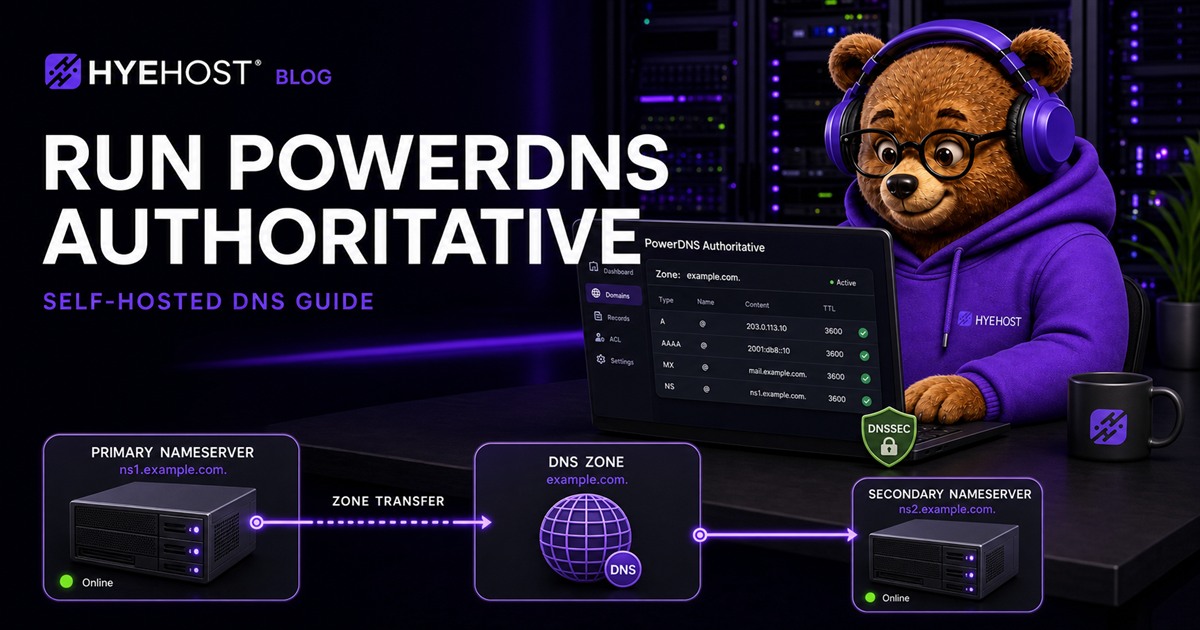
This guide builds a practical PowerDNS Authoritative deployment with PostgreSQL, a primary and secondary server, restricted zone transfers, DNSSEC, monitoring and off-server backups. The commands target current Ubuntu and Debian systems and use the distribution packages unless a newer PowerDNS repository is deliberately required.
What PowerDNS Authoritative Does
PowerDNS Authoritative Server answers DNS queries for zones under your control. It is separate from PowerDNS Recursor, which resolves arbitrary internet names for clients.
That distinction matters. An authoritative server should not become an open recursive resolver. Its public job is narrow:
- Answer for zones stored in its configured backend.
- Return authoritative
NOERROR,NXDOMAINand referral responses. - Send DNS NOTIFY messages when a primary zone changes.
- Transfer zones to approved secondary nameservers using AXFR or IXFR.
- Serve DNSSEC records and signatures when zones are secured.
- Expose a controlled API for automation when explicitly enabled.
PowerDNS supports several backends. PostgreSQL is a sensible production default because it provides familiar backups, transactions, replication options and reliable API-driven record management.
Plan the DNS Architecture First
Use at least two authoritative nameservers on separate failure domains. Ideally they should not share the same physical host, power feed, upstream network or geographic region.
| Role | Example hostname | Example address | Purpose |
|---|---|---|---|
| Primary | ns1.example.net | 203.0.113.10 | Accepts zone changes and sends NOTIFY. |
| Secondary | ns2.example.net | 198.51.100.20 | Receives transfers and answers independently. |
Keep the nameserver hostnames outside the zones they serve where practical. If example.com is delegated to ns1.example.com, the registrar must publish glue records so resolvers can find the nameserver without first resolving the zone it is meant to answer.
A production layout should also separate the public DNS service from its management path:
- UDP and TCP port 53 are public.
- SSH is limited to trusted administration addresses.
- The PowerDNS HTTP API listens on localhost or a private network.
- PostgreSQL is local to each nameserver unless you have designed a protected database network.
- Zone transfers are allowed only from the secondary addresses.
VPS Requirements
Authoritative DNS is usually light on CPU and memory. Network reliability and independent failure domains matter more than oversized servers.
| Resource | Small production service | Busier API-driven platform |
|---|---|---|
| CPU | 1-2 vCPU | 2-4 vCPU |
| Memory | 1-2 GB | 4 GB or more |
| Storage | 20 GB SSD | 40 GB+ SSD with longer logs |
| Network | Public IPv4 and IPv6 | Public IPv4 and IPv6, monitored |
| Servers | Two independent VPS | Two or more regions/providers |
For the examples below, start with two clean Ubuntu 24.04 LTS or Debian 12 VPS instances. Replace all documentation addresses and example domains with your real values.
Step 1: Prepare Both Servers
Update the operating system, set meaningful hostnames and confirm time synchronisation:
sudo apt update
sudo apt full-upgrade -y
sudo hostnamectl set-hostname ns1.example.net
timedatectl status
Use ns2.example.net on the second server. Reboot if the upgrade installed a new kernel.
Allow DNS over both transports. Large responses, DNSSEC and zone transfers require TCP; opening only UDP 53 creates intermittent failures.
sudo ufw default deny incoming
sudo ufw default allow outgoing
sudo ufw allow from YOUR_ADMIN_IP to any port 22 proto tcp
sudo ufw allow 53/udp
sudo ufw allow 53/tcp
sudo ufw enable
If the VPS provider has an external firewall, mirror the same rules there. Do not expose PostgreSQL or the PowerDNS API to the public internet.
Step 2: Install PowerDNS and PostgreSQL
Run these commands on the primary server:
sudo apt install -y postgresql pdns-server pdns-backend-pgsql
sudo systemctl stop pdns
Create a dedicated database and password. Use a unique generated password rather than the example value:
sudo -u postgres psql <<'SQL'
CREATE USER powerdns WITH PASSWORD 'REPLACE_WITH_A_LONG_RANDOM_PASSWORD';
CREATE DATABASE powerdns OWNER powerdns;
SQL
Import the schema supplied by the PostgreSQL backend package:
sudo -u postgres psql powerdns < /usr/share/pdns-backend-pgsql/schema/schema.pgsql.sqlConfirm the schema exists:
sudo -u postgres psql -d powerdns -c '\dt'Step 3: Configure the Primary Server
Back up the package configuration before changing it:
sudo cp /etc/powerdns/pdns.conf /etc/powerdns/pdns.conf.originalCreate a backend file at /etc/powerdns/pdns.d/gpgsql.conf:
launch=gpgsql
gpgsql-host=127.0.0.1
gpgsql-port=5432
gpgsql-dbname=powerdns
gpgsql-user=powerdns
gpgsql-password=REPLACE_WITH_A_LONG_RANDOM_PASSWORD
gpgsql-dnssec=yes
Restrict the file because it contains a database password:
sudo chown root:pdns /etc/powerdns/pdns.d/gpgsql.conf
sudo chmod 640 /etc/powerdns/pdns.d/gpgsql.conf
Set the primary-specific options in /etc/powerdns/pdns.conf:
primary=yes
secondary=no
local-address=0.0.0.0
local-ipv6=::
local-port=53
default-soa-content=ns1.example.net hostmaster.example.net 0 10800 3600 604800 3600
allow-axfr-ips=198.51.100.20
also-notify=198.51.100.20
The secondary address in allow-axfr-ips and also-notify must be the real source address used by your second nameserver.
Validate and start PowerDNS:
sudo pdns_server --config=check
sudo systemctl restart pdns
sudo systemctl enable pdns
sudo systemctl status pdns --no-pager
sudo journalctl -u pdns -n 50 --no-pager
Step 4: Create Your First Zone
Create the zone and its first records with pdnsutil:
sudo pdnsutil zone create example.com ns1.example.net
sudo pdnsutil rrset add example.com @ NS 3600 ns2.example.net
sudo pdnsutil rrset add example.com @ A 300 203.0.113.50
sudo pdnsutil rrset add example.com www A 300 203.0.113.50
sudo pdnsutil rrset add example.com @ AAAA 300 2001:db8:100::50
sudo pdnsutil rrset add example.com www AAAA 300 2001:db8:100::50
sudo pdnsutil rrset add example.com @ MX 3600 "10 mail.example.com"
sudo pdnsutil rrset add example.com mail A 300 203.0.113.60
sudo pdnsutil zone check example.com
sudo pdnsutil zone list example.com
These examples use the PowerDNS 5 command layout. PowerDNS 4 packages use forms such as create-zone, add-record, check-zone and list-zone; run pdnsutil help when using an older distribution package.
PowerDNS manages the SOA serial in its database. Avoid editing backend tables directly; use pdnsutil, the API or a management application that understands PowerDNS record semantics.
Query the primary directly before changing delegation:
dig @203.0.113.10 example.com SOA +norecurse
dig @203.0.113.10 www.example.com A +norecurse
dig @203.0.113.10 www.example.com AAAA +norecurse
dig @203.0.113.10 example.com MX +norecurse
The response should include the aa flag, which means the answer is authoritative.
Step 5: Configure a Secondary Nameserver
Install PowerDNS and PostgreSQL on the second VPS using the same package, database and backend steps. Do not share one PostgreSQL database across both regions unless you have deliberately engineered that database dependency.
Set the secondary options in /etc/powerdns/pdns.conf:
primary=no
secondary=yes
local-address=0.0.0.0
local-ipv6=::
local-port=53
allow-notify-from=203.0.113.10
autosecondary=yes
For stricter control, disable automatic secondary provisioning and create the zone explicitly:
sudo pdnsutil zone create-secondary example.com 203.0.113.10
sudo systemctl restart pdns
PowerDNS 4 uses pdnsutil create-secondary-zone for the same operation. Check pdnsutil help for the command supported by your installed version.
Trigger a change on the primary, then verify the secondary receives it:
sudo pdnsutil rrset add example.com test A 60 203.0.113.70
dig @198.51.100.20 test.example.com A +norecurse
dig @198.51.100.20 example.com SOA +norecurse
If the transfer fails, inspect both journals and check TCP port 53, the transfer ACL, source addresses, SOA serial and NOTIFY settings.
Step 6: Delegate the Domain
At the registrar for example.com, configure:
ns1.example.net  -> 203.0.113.10
ns2.example.net  -> 198.51.100.20
If the nameserver hostnames are inside the delegated domain, create registrar glue records first. Then replace the domain's authoritative nameserver set.
Check the delegation from outside your network:
dig example.com NS +trace
dig @a.gtld-servers.net example.com NS
dig @203.0.113.10 example.com SOA +norecurse
dig @198.51.100.20 example.com SOA +norecurse
Both nameservers must return the same SOA serial and authoritative records before you consider the migration complete.
Step 7: Enable the API Safely
The PowerDNS API is useful for control panels, infrastructure automation and ACME DNS-01 challenges. It is also an administrative interface capable of changing DNS, so never publish it directly without a protected management layer.
Add these settings to pdns.conf:
api=yes
api-key=REPLACE_WITH_A_LONG_RANDOM_API_KEY
webserver=yes
webserver-address=127.0.0.1
webserver-port=8081
webserver-allow-from=127.0.0.1
Restart PowerDNS and test locally:
sudo systemctl restart pdns
curl -H 'X-API-Key: REPLACE_WITH_A_LONG_RANDOM_API_KEY' \
  http://127.0.0.1:8081/api/v1/servers/localhost
For remote automation, use a private WireGuard network or an authenticated HTTPS reverse proxy with strict source controls. Keep the API key out of source repositories and rotate it if it is exposed.
Step 8: Enable DNSSEC
DNSSEC lets resolvers verify that authoritative answers have not been altered. Signing the zone is only half the process: the parent zone must also publish a matching DS record.
sudo pdnsutil secure-zone example.com
sudo pdnsutil check-zone example.com
sudo pdnsutil show-zone example.com
Copy the DS information shown by pdnsutil into the registrar's DNSSEC or DS-record interface. Wait for the parent update, then test:
dig example.com DNSKEY +dnssec
dig example.com A +dnssec
dig example.com DS +trace
delv example.com A
Do not remove or replace active keys casually. A DS record pointing to a missing DNSKEY makes the entire zone fail validation. Plan rollovers, verify them from several resolvers and retain database backups that include the cryptographic key material.
Step 9: Monitor and Back Up the Service
A process being active is not enough. Monitor the answer from outside each nameserver's network and verify the data you expect:
- UDP and TCP queries reach every authoritative address.
- SOA serials match across primary and secondary servers.
- Each nameserver returns the
aaflag. - DNSSEC validation succeeds after signing.
- Query latency and failure rate stay within your target.
- PostgreSQL, filesystem space and system load remain healthy.
- Certificate or authentication layers protecting management interfaces remain valid.
A simple external check can query both protocols:
dig @203.0.113.10 example.com SOA +time=2 +tries=1
dig @203.0.113.10 example.com SOA +tcp +time=2 +tries=1
dig @198.51.100.20 example.com SOA +time=2 +tries=1
dig @198.51.100.20 example.com SOA +tcp +time=2 +tries=1
Back up PostgreSQL from each server and copy the result off the VPS:
sudo -u postgres pg_dump -Fc powerdns \
  > /var/backups/powerdns-$(date +%F).dump
Also back up /etc/powerdns, firewall configuration and any automation that manages the API. Test a restore into an isolated database rather than assuming a successful backup command guarantees recovery.
Production Hardening Checklist
- At least two nameservers operate on independent failure domains.
- UDP and TCP port 53 are tested from external networks.
- Recursion is not offered by the authoritative service.
- AXFR and NOTIFY are limited to known nameserver addresses.
- PostgreSQL listens only where required and uses a unique password.
- The HTTP API is private, authenticated and logged.
- SSH uses keys and is limited by source address where practical.
- DNSSEC DS records are monitored after signing and key changes.
- SOA serial drift triggers an alert.
- Database and configuration backups leave the server and restores are tested.
- Package updates follow a controlled maintenance process.
Common PowerDNS Problems
Queries work over UDP but fail over TCP
Open TCP port 53 in both local and provider firewalls. DNSSEC responses, truncated replies and zone transfers rely on TCP.
The secondary never receives updates
Check the primary's also-notify and allow-axfr-ips, the secondary's allow-notify-from, TCP connectivity and the actual source address seen across NAT.
The registrar rejects the nameservers
Create glue records when nameserver hostnames sit inside the delegated domain, and verify their A and AAAA addresses are reachable before changing delegation.
The zone becomes SERVFAIL after enabling DNSSEC
Compare the parent DS record with the active DNSKEY. A stale or mistyped DS record breaks validation even when unsigned queries appear normal from non-validating tools.
The API works locally but not from another server
That is expected when it listens on 127.0.0.1. Prefer a private management tunnel. Do not solve the problem by exposing port 8081 openly.
Running PowerDNS on HYEHOST
HYEHOST Cloud VPS and Budget VPS provide root access, public IPv6, optional or included IPv4 depending on the plan, and panel-based console access. Choose Wolverhampton, Ashburn or Auckland to place authoritative nameservers in separate regions, and check each region's monthly transfer allowance. DDoS protection is included with Wolverhampton VM services.
Choose capacity based on query volume, API workload and database needs, but prioritise independent placement and monitoring over raw server size. DNS is small infrastructure with a very large blast radius.
For an advanced production design, read how we built PowerDNS high availability with Patroni and automatic PostgreSQL failover. If you want managed zone service without operating the underlying stack, HYE DNS provides it through the HYEHOST Panel.
PowerDNS Authoritative FAQ
Is PowerDNS Authoritative free?
Yes. The software is open source. The servers, database, monitoring, backups and operational work still have costs.
Can one PowerDNS server host production DNS?
It can answer queries, but a production domain should have at least two authoritative servers on separate failure domains.
Does PowerDNS Authoritative provide recursive DNS?
No. Use PowerDNS Recursor, Unbound or another resolver separately. Do not turn a public authoritative nameserver into an open resolver.
Does PowerDNS support DNSSEC?
Yes. PowerDNS can manage signing keys and signed responses. You must publish the matching DS record through the parent or registrar.
Should the API be available publicly?
No. Keep it on localhost or a private management network and require a strong API key.