
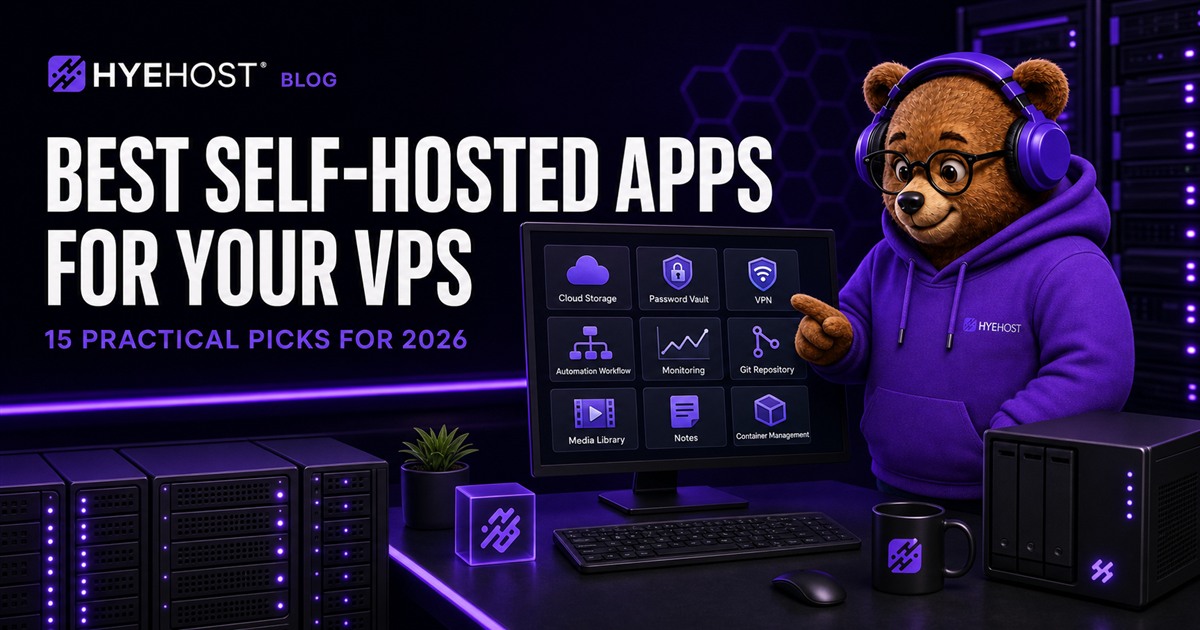
Explore the apps in this guide
Open each project’s official website or documentation before choosing what to deploy.


Self-hosting is most useful when it solves a real problem: keeping files under your control, replacing a recurring subscription, creating a private service for a team, or learning how production infrastructure works. The difficult part is not finding software. It is choosing software worth maintaining.
This list focuses on active, widely useful applications that run well on a VPS and have a clear operational purpose. It also reflects a strong 2026 search trend around private infrastructure, open-source alternatives and self-hosted AI tooling.
How We Picked These Self-Hosted Apps
Each recommendation had to offer a useful free or open-source deployment, work on normal Linux infrastructure, have a realistic backup path and remain understandable without building an entire platform around it. We also considered documentation, update activity, Docker support and how much memory the application needs at idle.
| Workload | Good starting point | Typical examples |
|---|---|---|
| One lightweight app | 1-2 vCPU, 2 GB RAM | Uptime Kuma, Gitea, Vaultwarden |
| Several Docker services | 2-4 vCPU, 4-8 GB RAM | n8n, Immich, Nextcloud |
| Media or build workloads | 4+ vCPU, 8+ GB RAM | Jellyfin, GitLab, AI tools |
The 15 Best Self-Hosted Apps for a VPS
1. Nextcloud: private file sync and collaboration
Nextcloud combines file synchronisation, sharing, calendars, contacts and collaborative extensions. It is a strong Google Drive or Microsoft 365 alternative when data control matters. Use PostgreSQL or MariaDB, Redis for file locking and object storage when the file library grows.
If you only need device-to-device file sync rather than a collaboration suite, our Syncthing VPS tutorial covers an always-on sync device with a private administration interface and separate backups.
2. Immich: a private photo and video library
Immich provides mobile backup, search, albums and familiar photo-library workflows. Its machine-learning services and thumbnail generation make it heavier than a basic gallery, so allow extra RAM and keep the original media on separately backed-up storage.
3. Vaultwarden: lightweight password management
Vaultwarden implements the Bitwarden-compatible server API with modest resource use. It suits individuals, families and small teams, but the vault is security-critical: enforce HTTPS, protect administrator access, enable client-side MFA and test encrypted backups.
4. Tailscale or Headscale: private network access
Tailscale creates an encrypted WireGuard mesh with straightforward identity-based access. Headscale is a self-hosted coordination server for compatible clients. Both are useful for reaching dashboards and databases without publishing them to the internet. Read our Tailscale VPS guide before planning the network.
For remote desktop support rather than private network access alone, see our self-hosted RustDesk VPS guide. It covers the ID and relay servers, client keys, firewall ports and transfer planning.
5. WireGuard: a focused private VPN
WireGuard is the better fit when you want a conventional VPN endpoint and full control over peer configuration. It is fast, small and available through the HYEHOST app installer. Keep its UDP port public, but move management interfaces behind the tunnel.
6. n8n: workflow and AI automation
n8n connects APIs, databases, webhooks and AI models through visual workflows. Production deployments should use PostgreSQL, protect the editor, keep secrets out of workflow exports and monitor failed executions. Our self-hosted n8n guide covers the complete deployment path.
7. Uptime Kuma: service monitoring
Uptime Kuma checks HTTP, TCP, DNS, ping and other endpoints, then sends notifications when a service changes state. Run it outside the infrastructure it monitors where possible; a monitoring dashboard cannot report an outage if it disappears in the same failure.
8. Grafana with Prometheus: metrics and dashboards
Prometheus collects time-series metrics while Grafana turns them into dashboards and alerts. This pairing is ideal once CPU graphs alone are no longer enough. Define retention limits early because metrics can consume disk space quietly.
9. Gitea or Forgejo: private Git hosting
Gitea and Forgejo provide repositories, pull requests, issues, packages and automation without GitLab's larger resource footprint. They are good for private code, infrastructure configuration and small development teams. Back up repositories and the database together.
10. Coolify: self-hosted application platform
Coolify deploys applications and databases from Git repositories, manages domains and automates HTTPS. It is useful when a team wants a platform-like workflow on its own VPS. Follow our detailed Coolify installation guide for firewall, backup and production notes.
11. Portainer: visual container management
Portainer provides a web interface for Docker environments, stacks, volumes and networks. It is helpful for visibility and routine operations, but should not replace understanding Compose files. Never expose it without strong authentication and HTTPS.
12. Jellyfin: personal media streaming
Jellyfin organises and streams films, television and music without a proprietary account. Direct playback is light; live transcoding can be extremely CPU-intensive. Choose media formats and client devices carefully before paying for more compute.
13. Paperless-ngx: searchable document archive
Paperless-ngx imports documents, extracts text with OCR and makes household or business records searchable. It works well with scheduled scanner uploads and email ingestion. The database, media directory and consumption workflow all belong in the backup plan.
14. Actual Budget: private personal finance
Actual Budget offers envelope budgeting and multi-device synchronisation while keeping financial data on infrastructure you control. Treat access and backups seriously, and confirm any bank-import integration is appropriate for your region before relying on it.
15. SearXNG: private metasearch
SearXNG queries multiple search providers without building the same centralised user profile. Public instances attract abuse and rate limits, so it is best operated as a private service for a household or team behind authentication or a VPN.
How to Choose the Right VPS Size
Add the steady-state needs of each application, then leave room for updates, image pulls, database maintenance and temporary jobs. A server running three services that each claim 1 GB RAM should not be provisioned with exactly 3 GB. Four to eight gigabytes gives Linux, Docker and bursts somewhere to go.
- Choose SSD storage for databases, thumbnails and application state.
- Use HDD add-on storage for large archives and secondary copies where available.
- Keep databases on private networks when applications span multiple VPS instances.
- Split security-critical or resource-heavy services from experimental workloads.
Self-Hosting Security Checklist
- Install security updates and remove services you do not use.
- Use SSH keys, disable password login and restrict administrative access.
- Publish only required ports; put dashboards behind HTTPS, SSO or a VPN.
- Use unique credentials and MFA wherever the application supports it.
- Pin container versions deliberately and read release notes before major upgrades.
- Review logs, storage growth and failed login activity.
Back Up Data, Not Just Containers
A Compose file can recreate containers, but it cannot recreate family photos, passwords, Git repositories or a production database. Back up database dumps, persistent volumes, configuration and encryption keys to a separate system. Keep at least one off-server copy and perform a real restore before calling the plan complete.
Snapshots are useful before upgrades, but they are not the only backup. Our Restic, BorgBackup and Kopia comparison explains three practical tools for encrypted off-server copies.
Which App Should You Install First?
Start with the service that removes a genuine frustration. Uptime Kuma is a gentle first project. Vaultwarden and Nextcloud provide immediate everyday value but carry more responsibility. n8n and Coolify are excellent once you are comfortable managing domains, databases and backups.
HYEHOST offers more than 50 applications through its installer, alongside full root access for anything you prefer to deploy manually. That keeps the first installation quick without locking you out of the underlying server.